CommCoach: App Prototype for AI Soft Skills Training

UX/UI
Research
Gamification
Conversational UI
Mobile
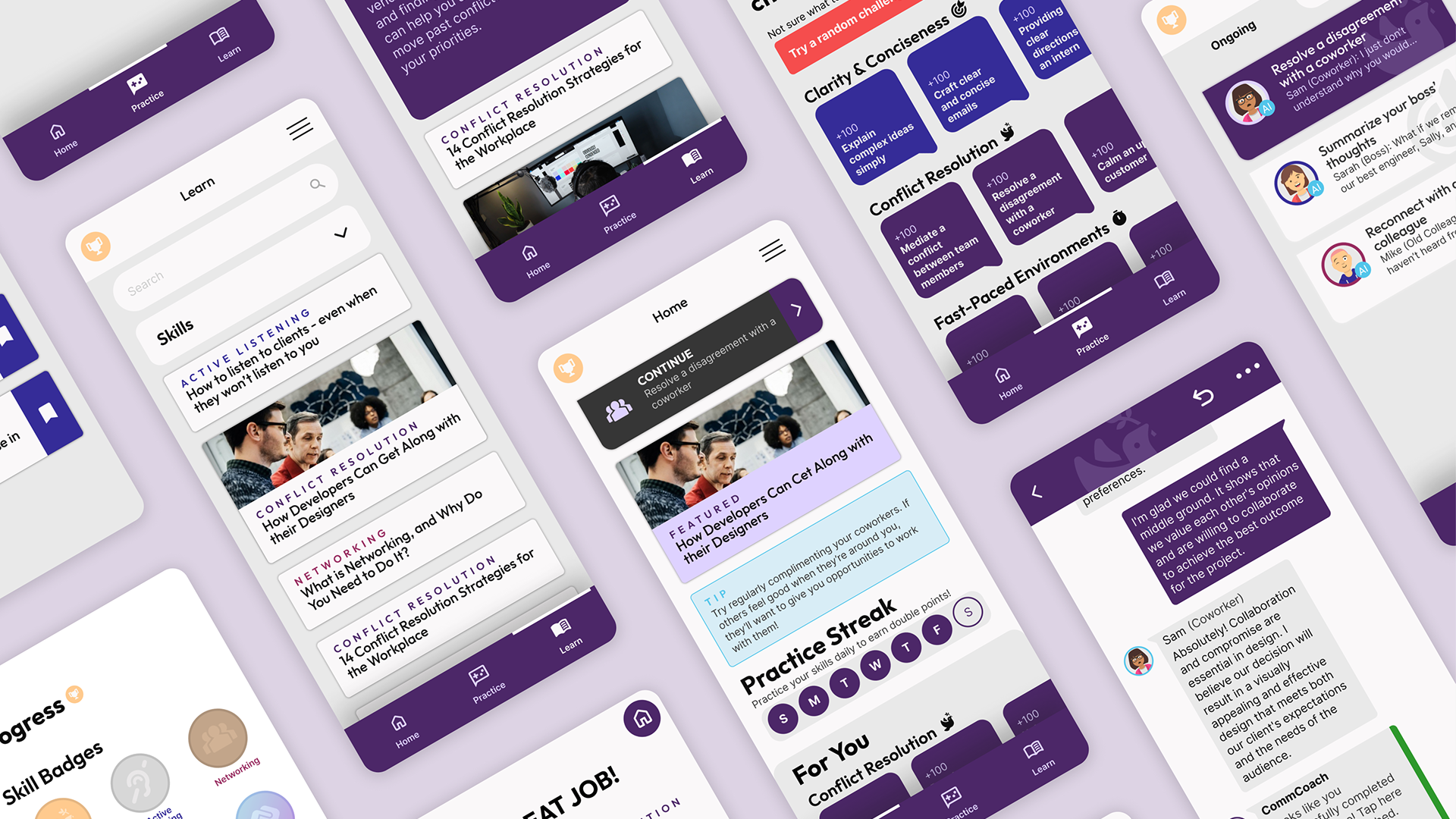
A mockup of screens from the CommCoach app concept.
My Role

UX/UI Design Student

Time

January–June 2023

Organization

University of Washington P&CE

Tools

Figma, Adobe Photoshop,
Optimal Workshop

Credits

(Ideation phase) Nicole DesRoberts, Esther Cheng, Khadijah Al-Shami
Overview

Working professionals need soft skills to advance their careers. In the age of remote work, opportunities for professional interpersonal interaction can be limited. 

To address this, I designed CommCoach, a smartphone app prototype to help professionals quickly learn soft skills to boost their careers via AI chatbot conversations and gamified feedback loops. Final deliverables included an interactive high-fidelity prototype and a presentation of my process.

I followed a double-diamond process to generate ideas, craft a cohesive user experience, design an appealing interface, and run multiple rounds of testing at different levels of fidelity. 

FEATURES

01
Conversation Challenges
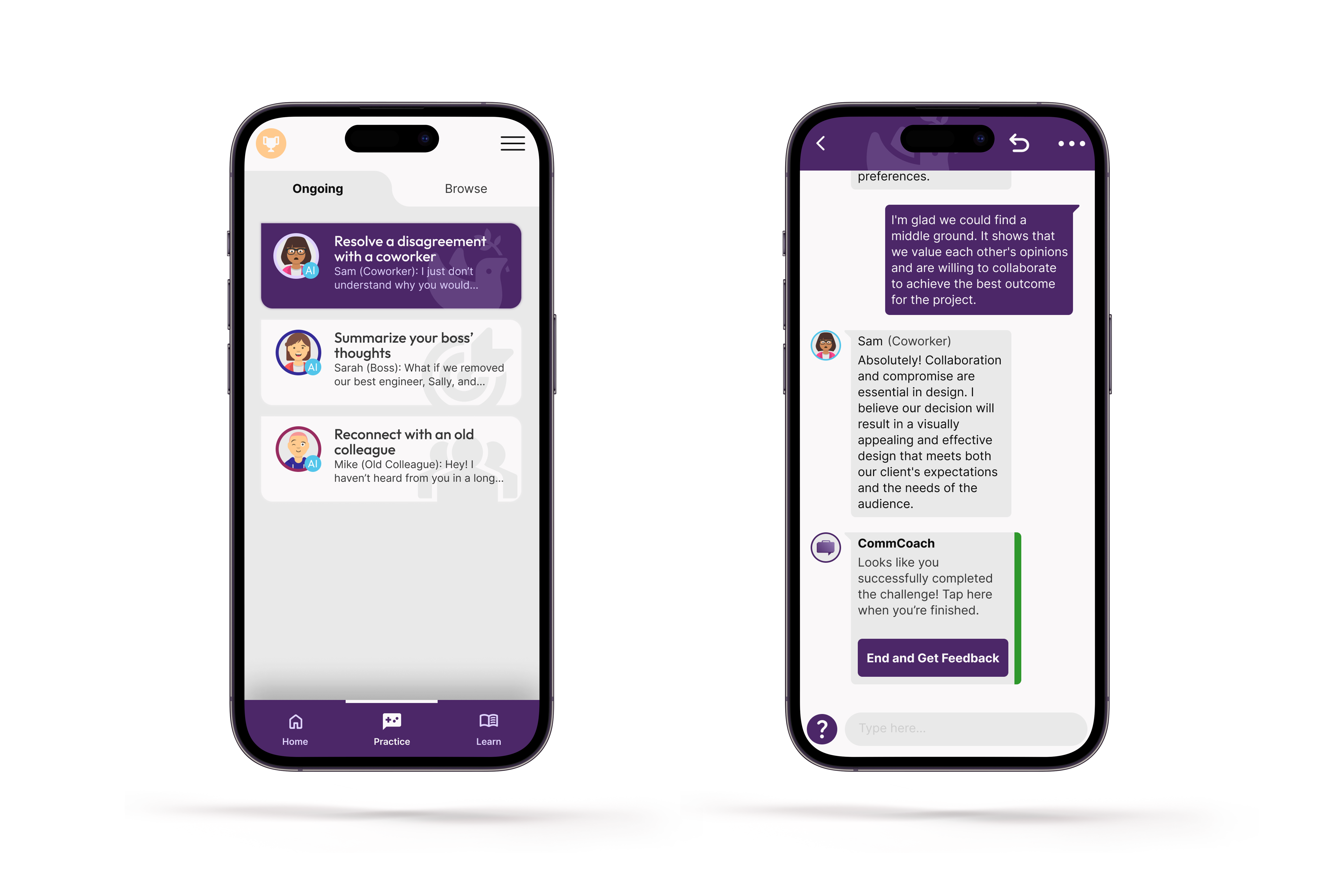
To improve skills, we must practice them. The core interaction of the app involves having roleplay conversations with an AI chatbot in various professional scenarios. 
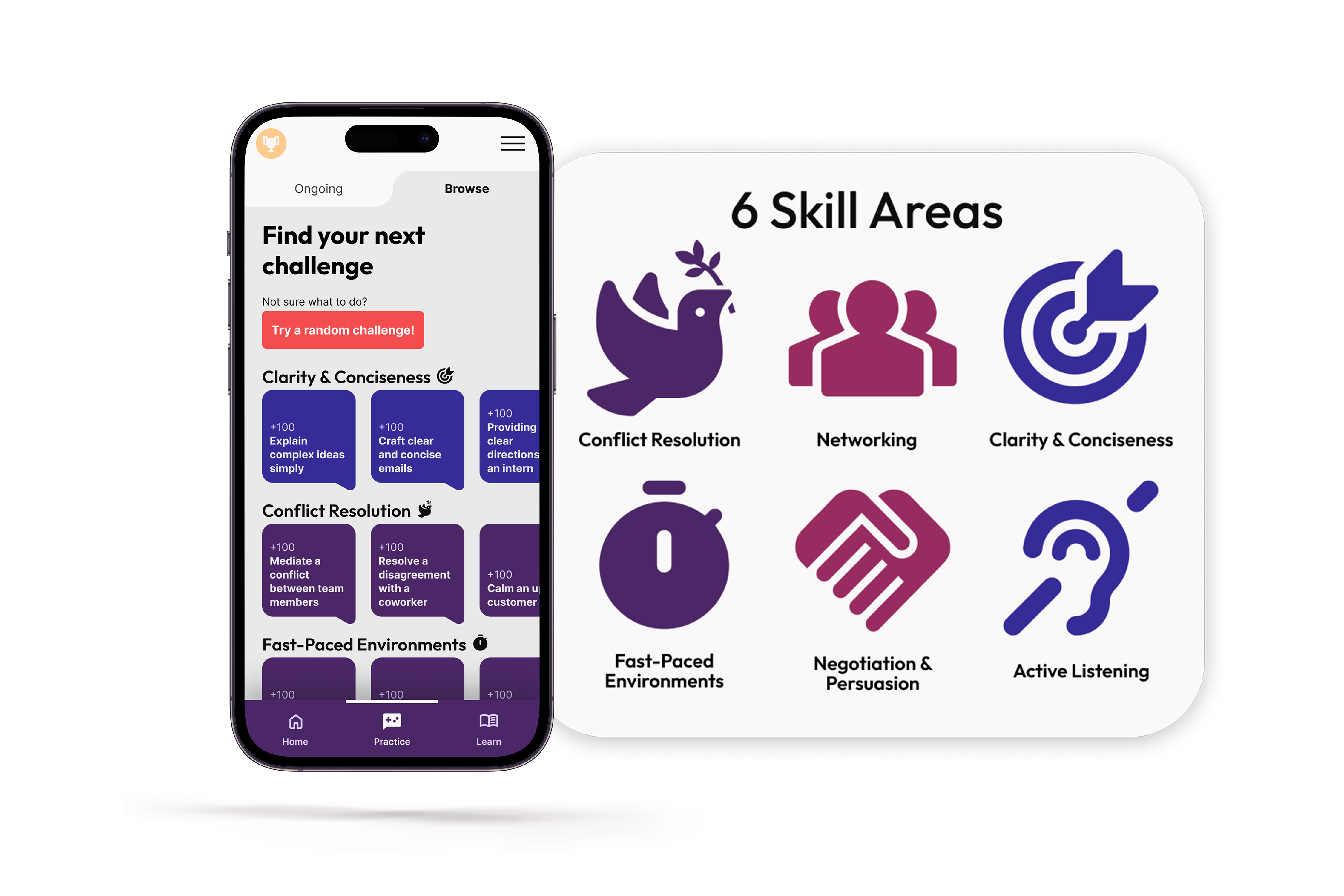
Skill Areas
Users need to select which skills they want to practice. Thus, these scenarios are grouped into categories like “Conflict Resolution” and “Active Listening.” These determine the challenge posed by the scenario.

For instance, a “Conflict Resolution” scenario might involve the chatbot confronting the user about a workplace disagreement. To succeed, the user might need to respond professionally, determine the source of the conflict, and propose an action to resolve the disagreement.
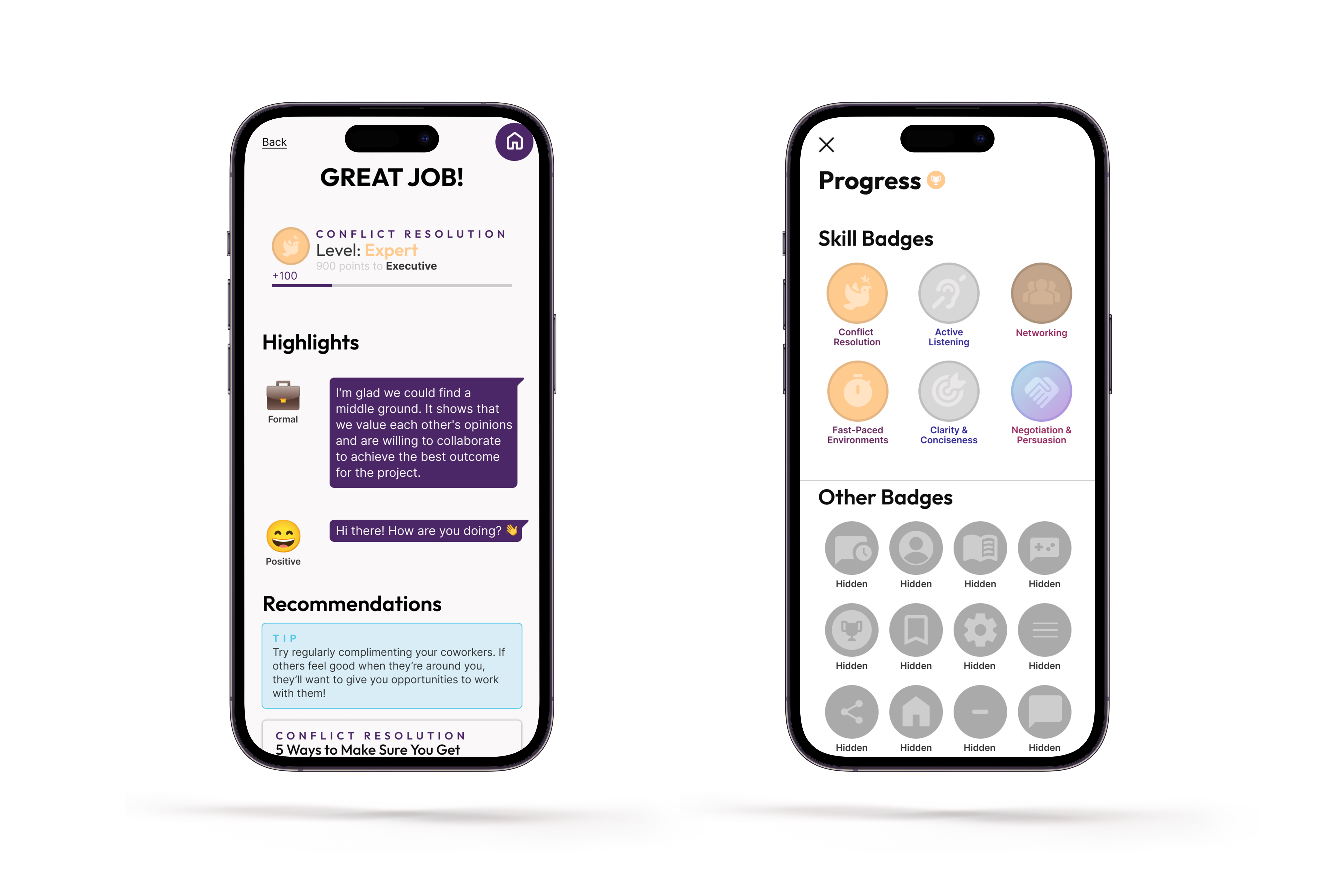
Gamified Feedback
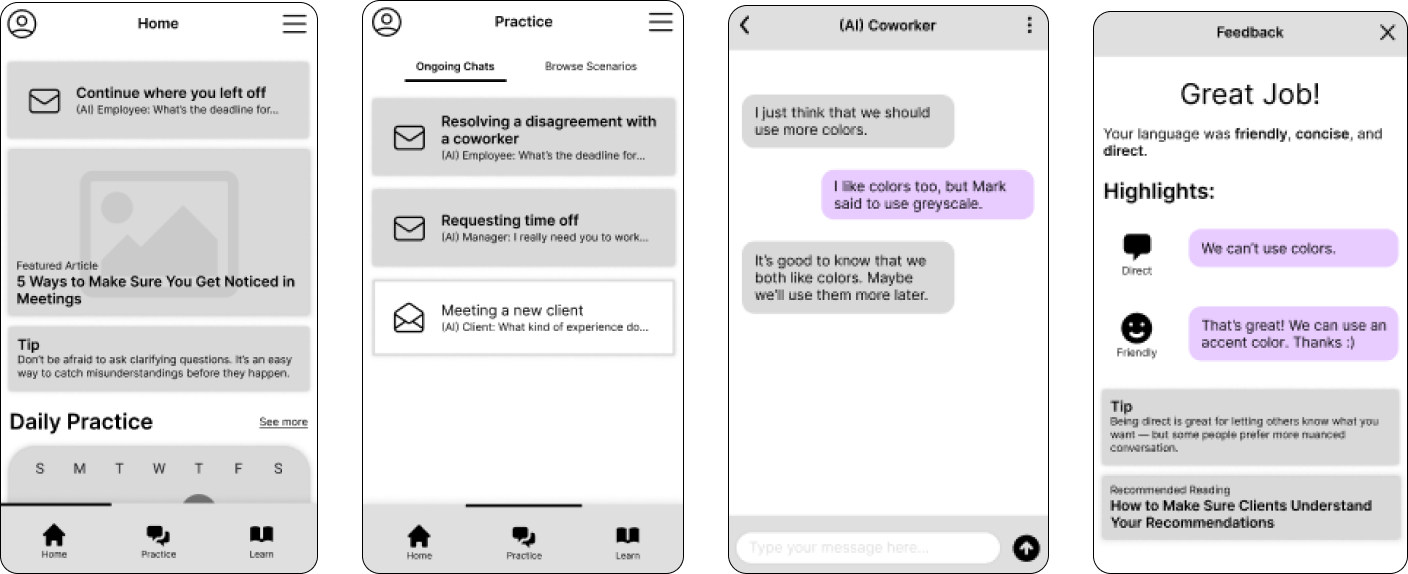
Users need to feel motivated and know whether they’re improving. AI-powered conversation scenario feedback and simple incentives are provided on a feedback screen and elsewhere.
Articles for Learning
Users need to discover new communication techniques to try out. The home screen and “Learn” section provide regularly-refreshed links to articles on soft skills. 

HOW MIGHT WE BOOST SOFT SKILLS?

RESEARCH & IDEATION
02
To develop the CommCoach concept, I worked with a small team to research the problem space from several angles. 

We conducted 17 interviews with working professionals at different stages of their careers in various fields. We found that working professionals valued clear communication, listening, and trust. They saw networking as key to career growth but difficult to navigate:  
"If I feel I'm struggling to connect, it feels like discordant and like trust is not present. And it feels disharmonious and like something I want to resolve."

"Listening before you speak... Listening is absolutely crucial."

From this, we created two user archetypes: 
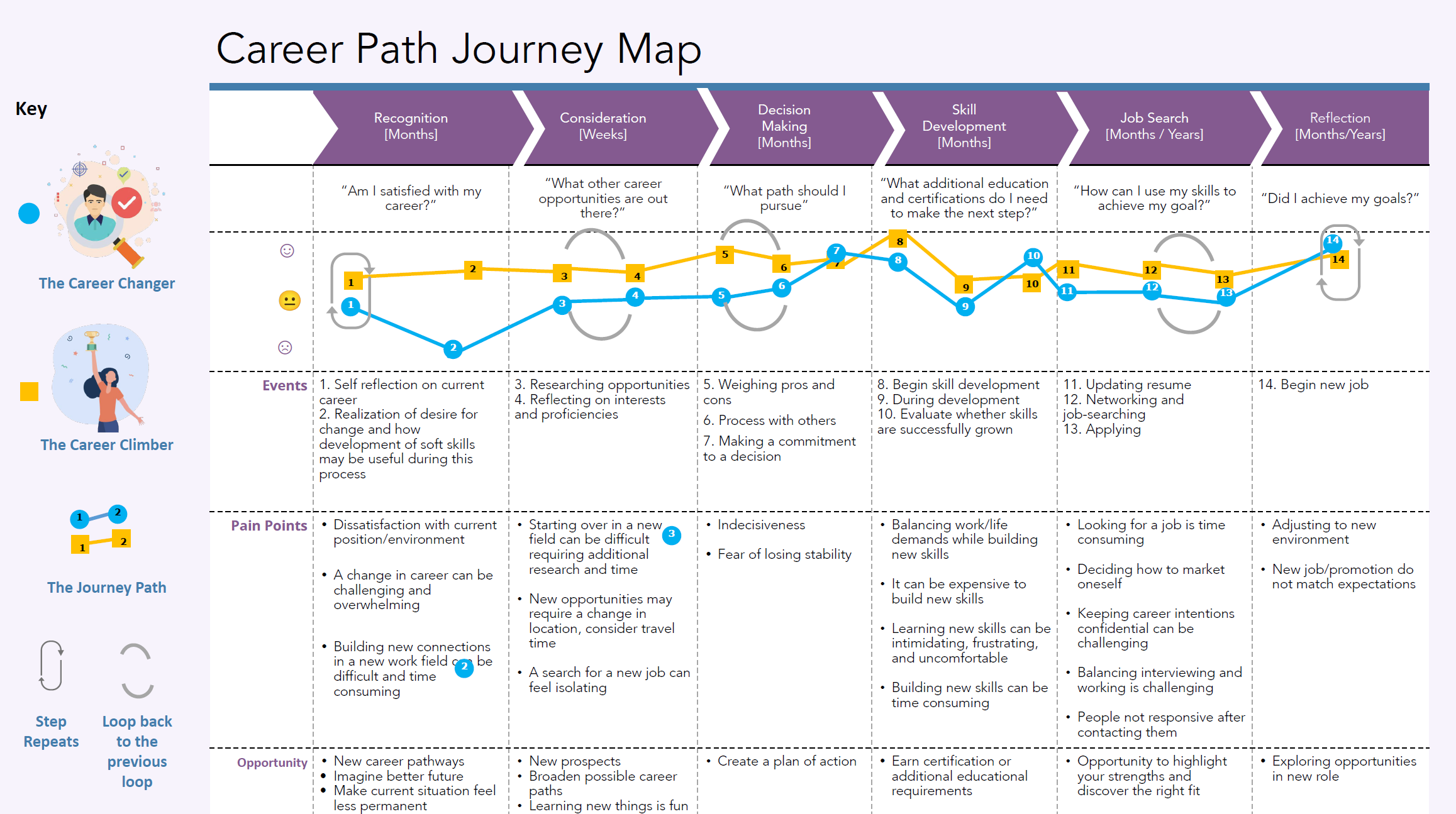
  • The Career Climber: someone who is early in their professional life looking to advance in their career or field. They are ambitious and are willing to go the extra mile to achieve their goals.
  • The Career Changer: an established professional, looking for a new career in a different field of work. They are currently unfulfilled at work and are hoping to achieve fulfillment and a sense of purpose through a new career.
We also conducted a comparative analysis of competing career self-improvement services.

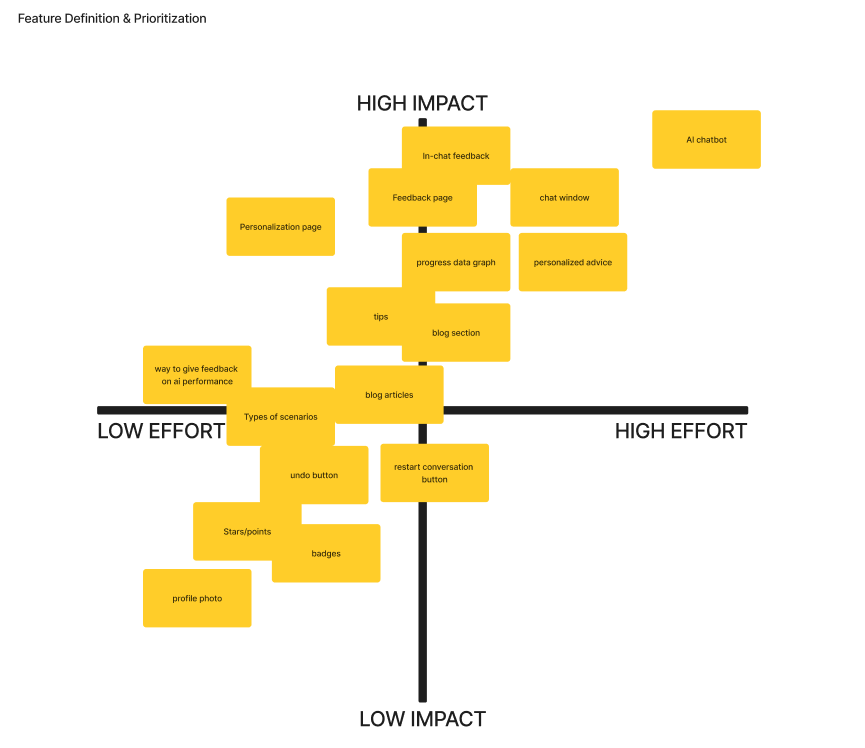
We used these to structure an ideation workshop, leading volunteer participants to give feedback on the problem and potential solutions via "how might we" statements. We organized participant feedback with affinity maps and crafted solution propositions, one of which became CommCoach. 

After selecting a direction, I mocked up some basic wireframes of screens displaying key features. This helped me get feedback from fellow students.
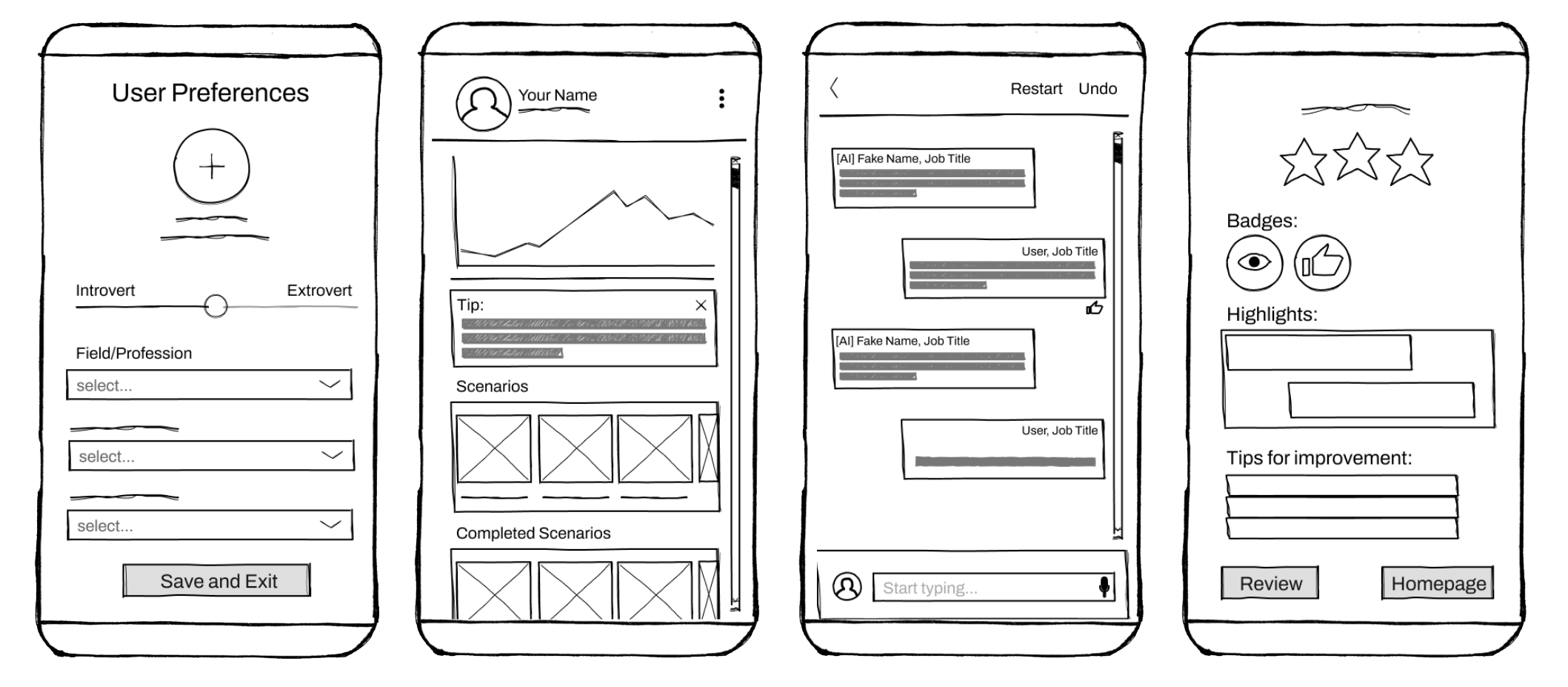
Feedback from concept testing was positive on the personalization and gamification elements, and some students saw potential in using AI to discover “unspoken rules,” but others were skeptical of AI chatbot technology’s capability to handle the task effectively. 

"I feel like job interview politics that goes on that are just unspoken rules, right? And I feel like something like this really helps them to would it be so beneficial to like, learn these skills in a more relaxed environment?"

"I like it, but I feel as if it's putting a lot of trust on the Al in the development of the Al as opposed to you know, having a real person who I know has credentials."

"Most helpful would probably be the track performance over time. That's an interesting way of seeing feedback in order to improve Yeah, the feedback screen also does that but I like my graphs and charts."
A SIMPLE STRUCTURE WITH RECURSIVE GAMIFICATION

USER EXPERIENCE Design
03
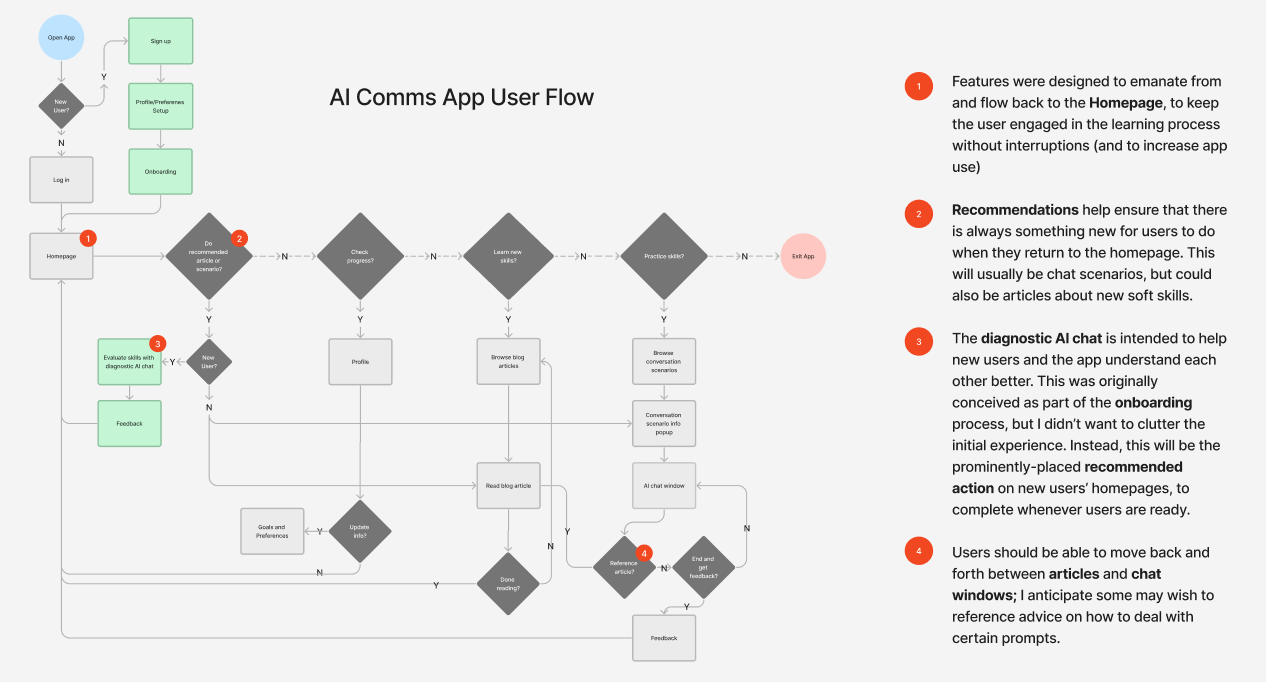
Gamified apps like CommCoach live and die on their user experience. Inspired by Twitter’s interaction loops, I crafted a user flow that led users through a cycle of learning, practice, and feedback. 

My intent was to make the experience easy to engage with repeatedly. Skills training requires consistency, so there was a high risk that users would drop out without help.

It's important to note that looping interactions that "hook" users can raise ethical issues. Many modern applications are designed to addict and extract, rather than to uplift and provide real value. I felt that as long as people used CommCoach willingly (to help their careers, for instance), and user saw real results, this design decision would be ethical.
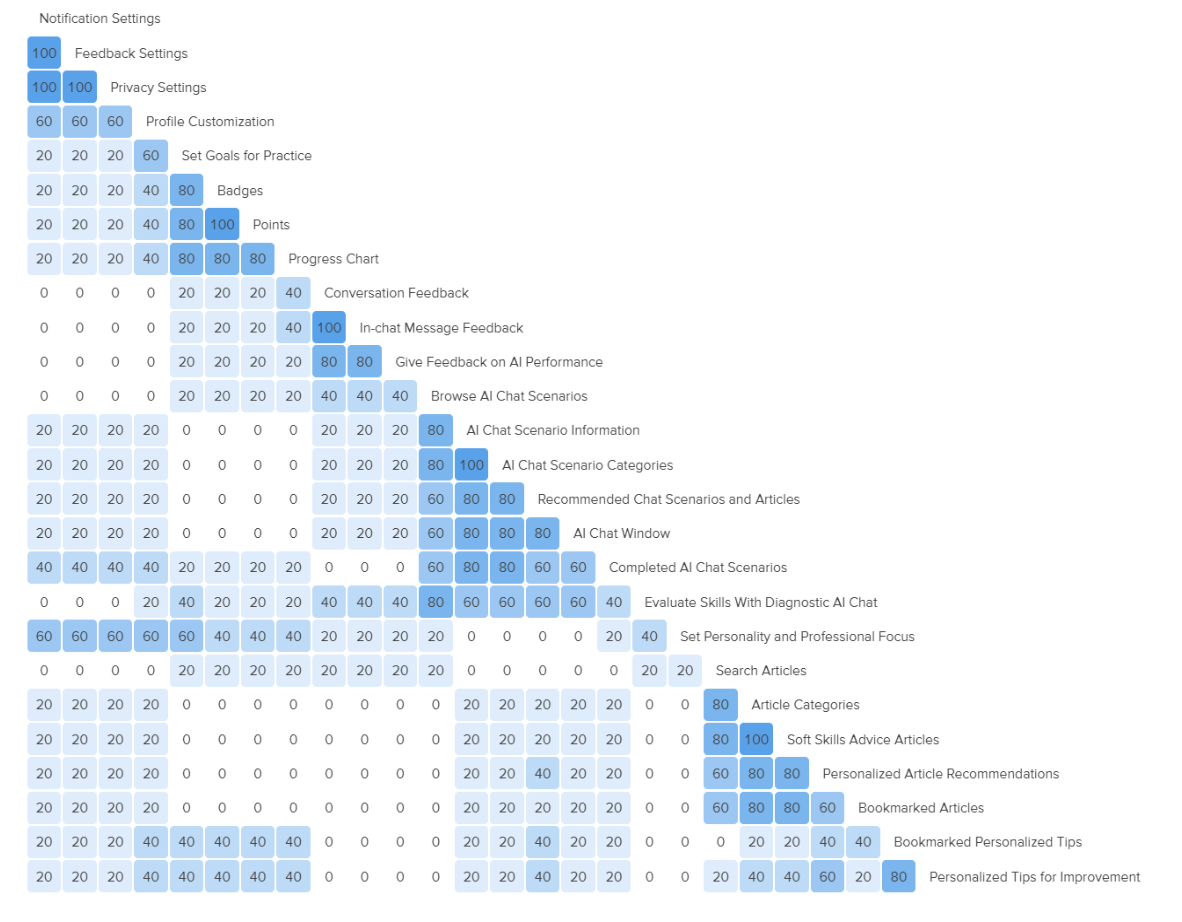
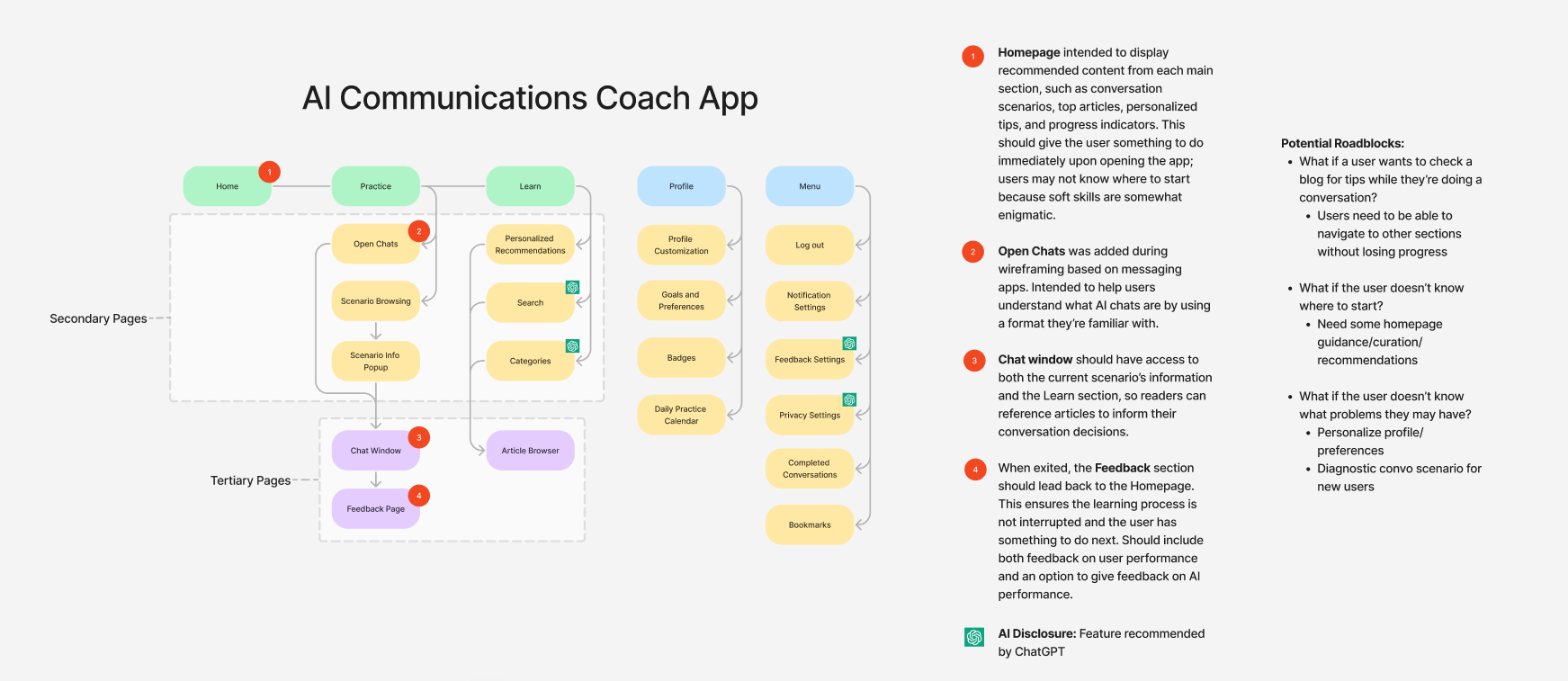
This operated within a simple information architecture. My sitemap had three main sections: Home, Practice, and Learn. I validated my hypotheses with a card sort test with student participants. 

A TRUSTWORTHY & ENGAGING FACE

INTERFACE DESIGN
04
To craft an appealing and effective interface, I iterated from sketches to mid-fidelity and high-fidelity prototypes

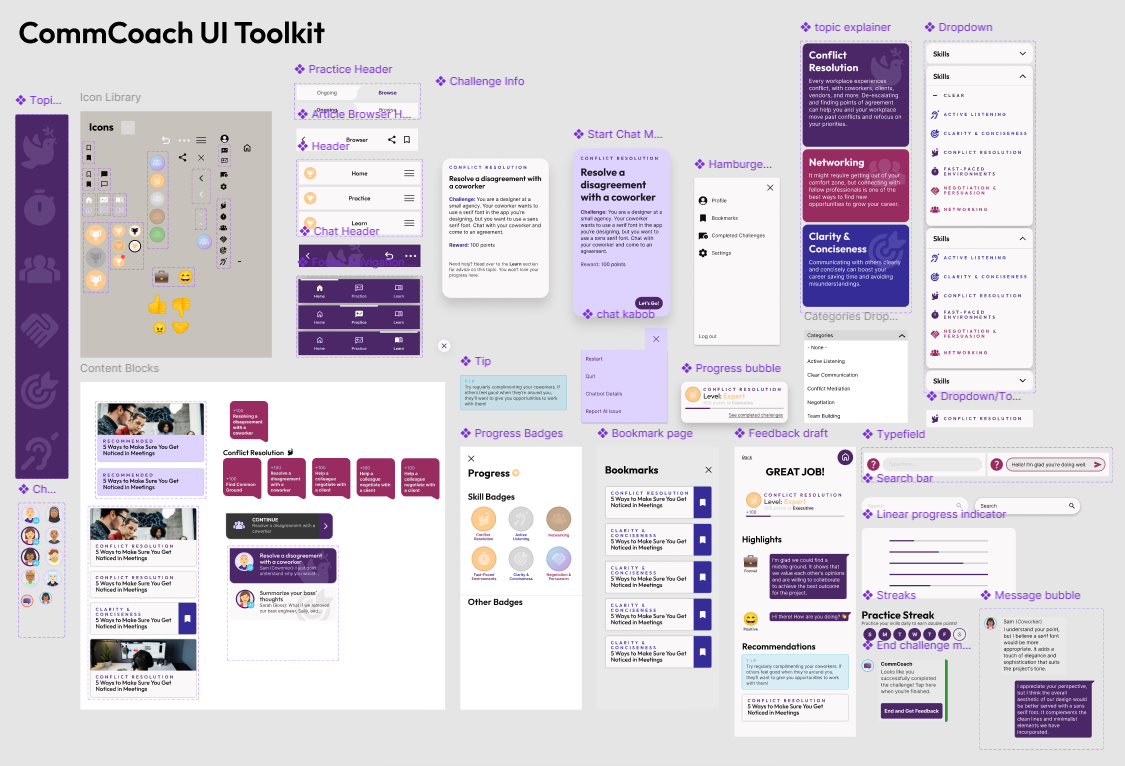
I organized browsable content with a card format, using different card shapes to distinguish between articles for learning and conversation challenges for practice. 

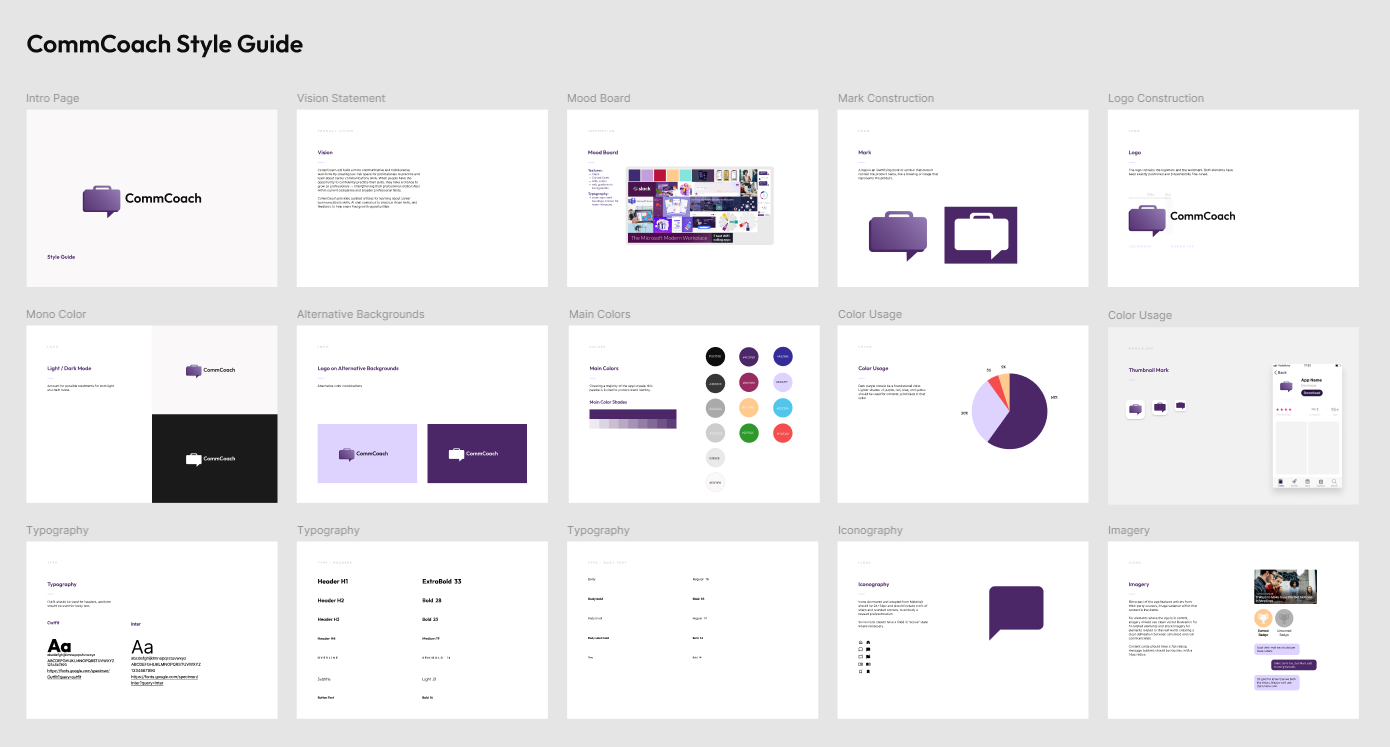
Because users needed to feel comfortable but also career-focused, I leaned toward a business-casual visual style, similar to that used by professional communication platforms like Slack and Microsoft Teams. Seeking to convey both trustworthiness and excitement, I picked a rich purple as a main brand color. 

ENSURING USABILITY

Usability TESTING
05
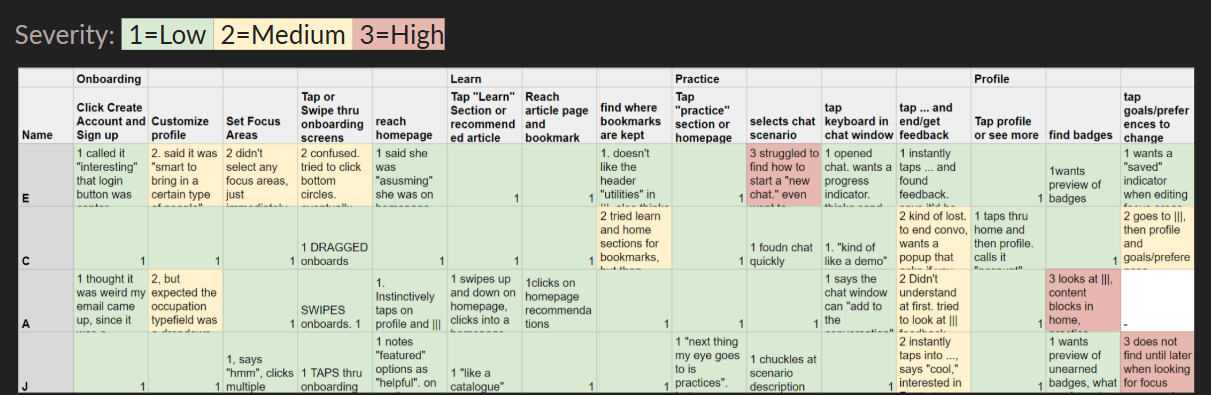
I conducted usability testing on my mid-fidelity prototype to gain insights implemented at higher fidelity. In this test, I asked four participants to try to complete three tasks: 1) onboarding, 2) learning skills, and 3) practicing with chatbots.

Participants had trouble reaching “badges” and “preferences” in the “profile” section, as well as with figuring out how to end chatbot conversations and get feedback—a key point in the intended user flow. Onboarding was also confusing for some. I addressed these pain points in my next iteration.

REFLECTIONS

06

Feature Creep
When I presented my final prototype, my course instructors said the app design was well-refined but too feature-heavy on the home screen.

They were right; I had envisioned the home screen as a catchall return point for every user flow that would redirect users into new flows, but I could have thought more about the experience of that page itself. Perhaps it could have been designed to resemble progress toward the user’s goals and immediate next steps.


Considerations for Human-Centered AI Implementation
This project did not include a specific exploration of prompt engineering for AI implementation, but that would be a necessary next step. AI technology, and my understanding of it, have advanced since this project was completed. 

Some things are clear. A reliable prompt template would be needed to ensure chatbots adopt appropriate personas in conversation scenarios. Because users need to feel like they have permission to try new things and fail, AI should be prompted to be forgiving and encouraging in its feedback.